
Board Meeting Action Items Captured, Tracked, Followed Up
Most boards leave meetings with a list of things that need to happen. Half of them get forgotten before the next meeting. Our Cat Herder's action register allows you to capture every action item during the meeting, assigns it to a person, give it a due date, and carries it forward until it's done.
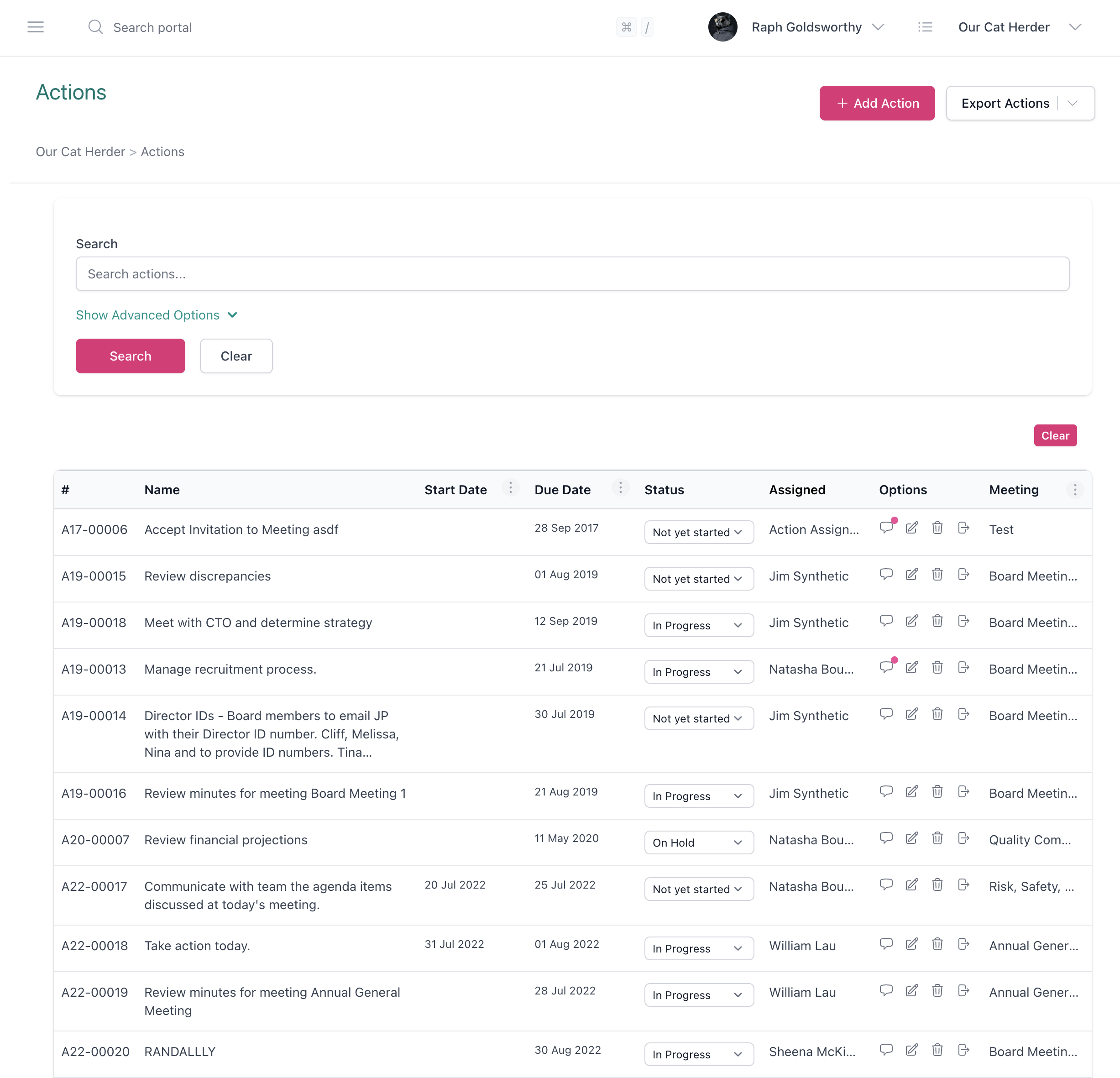
Capture Action Items While You Take Minutes
Action items come up mid-conversation. Someone says "we should get a quote on that" and the meeting moves on. In Our Cat Herder, you capture the action right there in the minute-taking screen without leaving the meeting flow.
-
One click to create an action
Hit the action button on any agenda item. Fill in a short description, assign the person responsible, set a due date, and get back to your minutes. The action is linked to the agenda item it came from.
-
Every action is tied to its agenda item
When you follow up two weeks later and someone asks "what was that about?", the action links straight back to the agenda item and the minutes. Full context, no guessing.
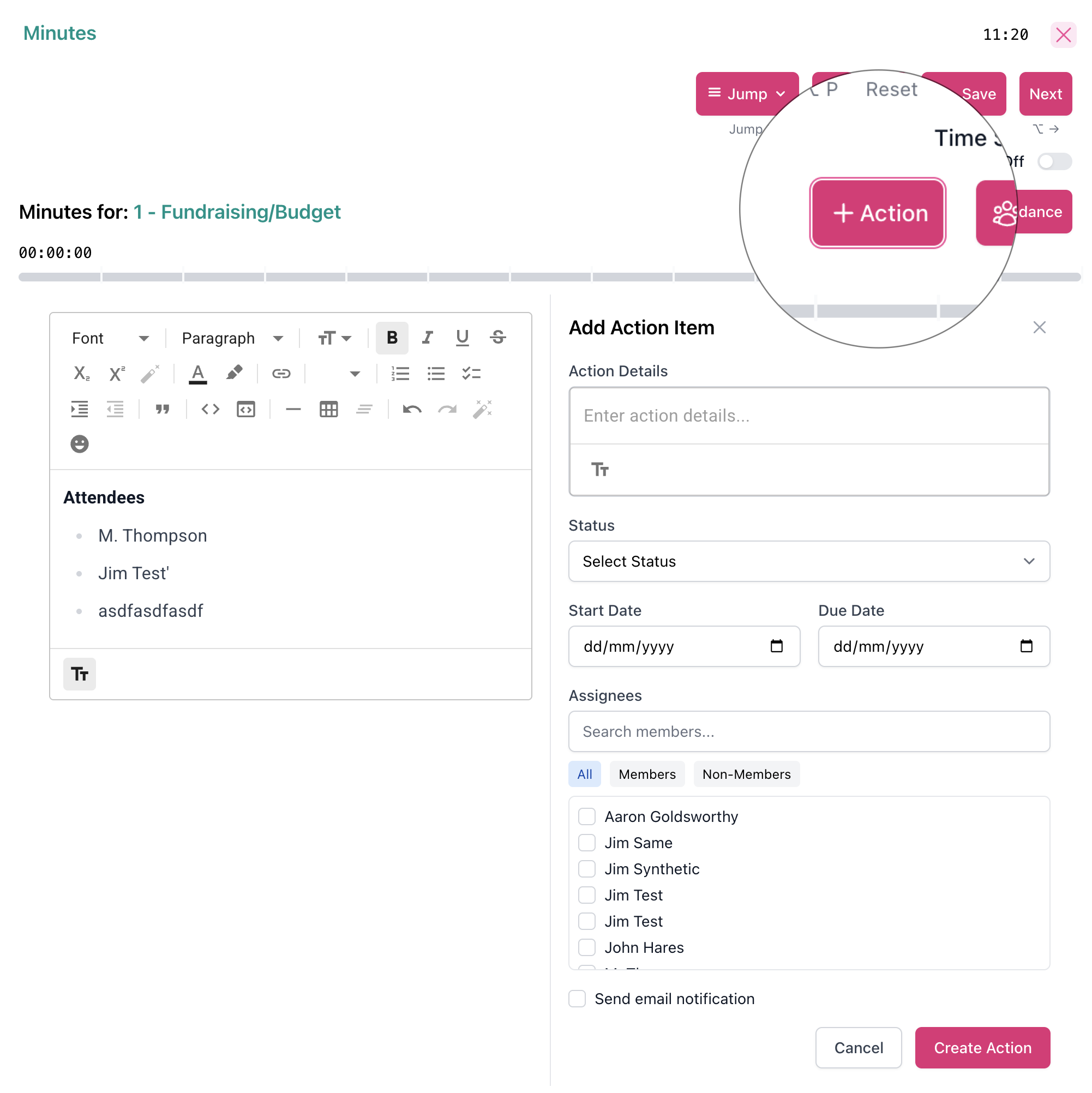
Every Action Has an Owner and a Due Date
"The board will look into it" is not an action item. Somebody specific has to do it, and they need a deadline. Our Cat Herder requires an owner and a due date on every action, so there's no ambiguity about who is doing what and by when.
-
Assign to any meeting participant
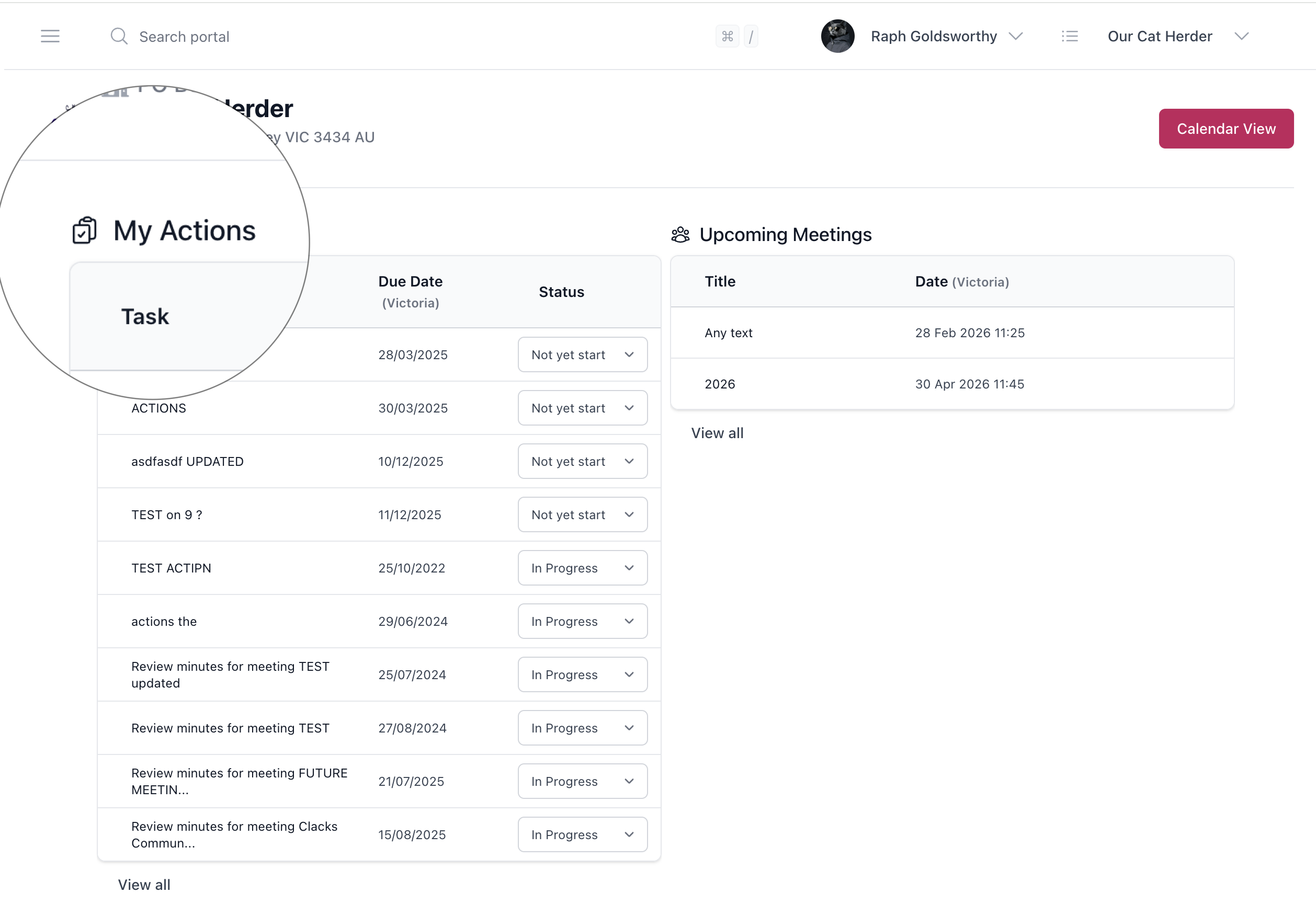
Pick from the meeting attendees or any member of your portal. The action owner gets notified and sees it on their personal dashboard.
-
Due dates that are visible to everyone
Set a date. It shows on the action register. The owner sees it on their dashboard. When the next meeting comes around, the board can see at a glance what was due and what got done.
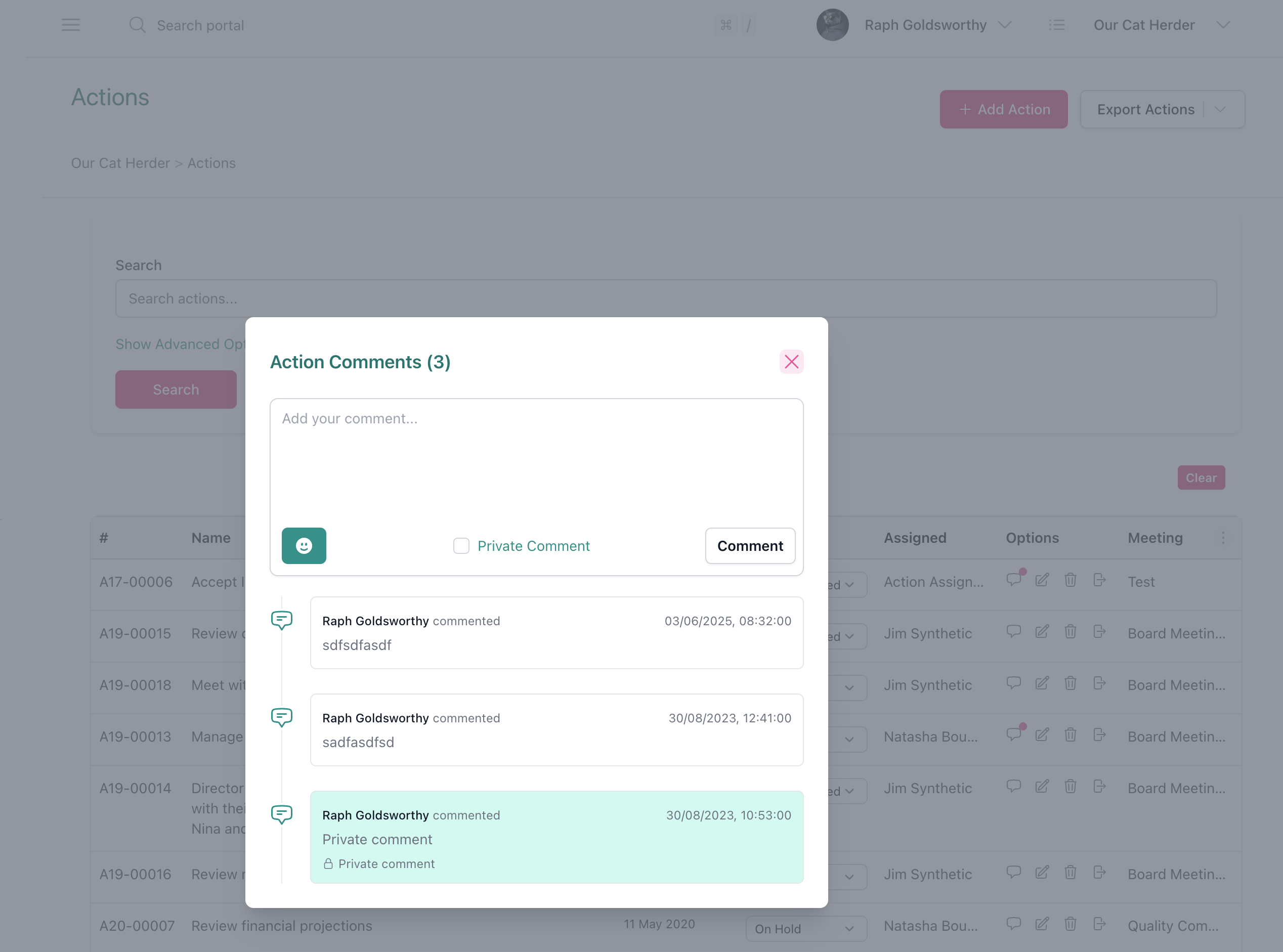
One Action Register Across All Meetings
Your board probably runs several meeting types: the main board meeting, a finance committee, a governance subcommittee. Actions from each meeting end up in the same area for admins to sort, adjust and track, but they stay organised by meeting type. The company secretary doesn't need a separate spreadsheet for each committee.
-
Open, completed, and overdue at a glance
See which actions are still open, which are done, and which are past their due date. Filter by meeting type, owner, or status. Each action gets an automatic reference number (e.g. A22-00018) so you can refer to it in meetings or correspondence without ambiguity. Build custom filtered reports and send them directly to a chosen agenda item, so the board reviews exactly the right actions at the right meeting.
-
Each board member sees their own actions
Board members log in and see a dashboard of what's assigned to them. They don't have to dig through minutes or emails to work out what they need to do before the next meeting.
-
Custom action reports, sent to the agenda
Filter your action register by status, assignee, meeting type, or date range to build a custom report. Then send that filtered report directly to a chosen agenda item — so the board reviews exactly the right actions at the right meeting, without the admin having to copy and paste from a spreadsheet.
Outstanding Actions Carry Forward Automatically
When you create the next board meeting using the agenda builder, any open actions from previous meetings of the same type are pulled in automatically. The "matters arising" section of your agenda writes itself.
-
Nothing gets silently dropped
Open actions keep appearing at every meeting until someone marks them complete. An action from three meetings ago is still visible if nobody has finished it.
-
Separated by meeting type
Board meeting actions stay with board meetings. Finance committee actions stay with finance committee meetings. No cross-contamination between meeting streams.
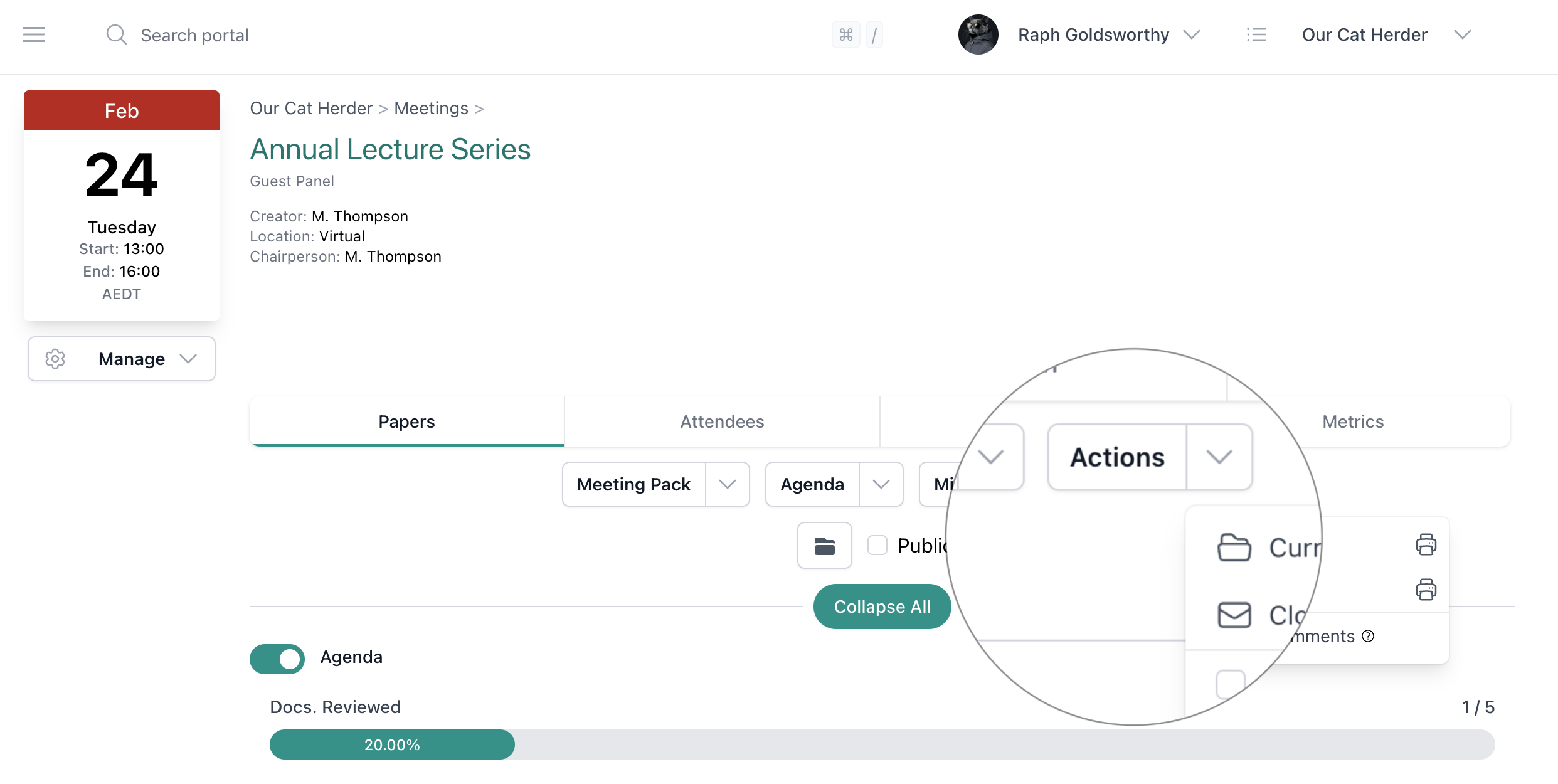
Designed for Busy Volunteers, Not Full-Time Executives
NFP and association board members have day jobs. They can't be expected to remember an action from six weeks ago without a prompt. Our Cat Herder puts their actions front and centre when they log in.
-
Send reminders when you need to
The admin can send email reminders to action owners about upcoming and overdue actions. One click instead of writing individual follow-up emails.
-
Personal dashboard shows "my actions"
Each board member sees exactly what's been assigned to them, with due dates, right when they log in. One screen, not a chain of forwarded emails.
“OCH has provided us with better document control and greater transparency by allowing board members easy access to important documents, minutes and agendas. The agenda, minute taking and action setting function is excellent and allows for timely recording and dispatch of information.”
Stop chasing people for updates
Why Boards Choose Our Cat Herder for Action Item Tracking
-
- No more spreadsheets
- Actions live inside the portal alongside the agenda, minutes, and board pack. No separate action tracker to maintain.
-
- Works across all your committees
- Run unlimited committees. Actions from each are tracked separately but visible from one portal. No spreadsheet per committee.
-
- The secretary stops being the chaser
- The admin can send reminders with one click instead of writing individual emails. Less time chasing, more time on governance work that matters.
-
- Visible accountability
- Every board member can see outstanding actions, who owns them, and when they're due. That visibility alone changes behaviour.
Australian-built for Australian boards
Your Action Register, Built for Australian Governance
In Australian governance, the action register (sometimes called the matters arising register) is the standard tool for tracking follow-up between board meetings. The AICD, the Governance Institute of Australia, and ACNC all recommend maintaining one. Our Cat Herder builds it into your workflow automatically.
- Data hosted in Australia (AWS Sydney)
- Replaces the manual action register spreadsheet recommended by AICD
- Meets ACNC expectations for NFP governance and record-keeping
- Your organisation owns its data. Read our security policy
Frequently Asked Questions About Board Meeting Action Items
- What is an action register?
- An action register (also called a matters arising register) is a log of all action items assigned during board meetings. It tracks what needs to be done, who is responsible, when it's due, and whether it's been completed. In Our Cat Herder, the action register is built into the portal and updates automatically as actions are created and resolved.
- How do I track action items from board meetings?
- In Our Cat Herder, action items are created during the meeting from the minute-taking screen. Each action gets an owner and a due date. After the meeting, the action register shows all open, completed, and overdue items. The admin can send email reminders to action owners, and outstanding actions carry forward to the next meeting automatically.
- What happens to outstanding actions between meetings?
- Open actions remain visible in the action register and on each owner's personal dashboard. When the next meeting of the same type is created, outstanding actions are pulled into the agenda automatically. They keep appearing until someone marks them complete.
- Who can see and update action items?
- All meeting participants can see the actions from their meetings. Action owners can update the status of their own actions. Administrators and minute takers can create and edit actions for the meetings they manage.
- Can action items be linked to meeting minutes?
- Yes. When you create an action during minute taking, it's automatically linked to the agenda item it came from. You can click through from the action register to the original minutes for full context on what was discussed.
- Is this the same as a task management tool like Trello or Asana?
- No. General project management tools aren't built for board governance. Our Cat Herder's action tracking is integrated with your meeting agenda, minutes, and board pack. Actions are tied to specific meetings and agenda items, and carry forward per meeting type. You won't need to maintain a separate tool.
Ready to stop losing track of board actions? Start your free 45-day trial.
Full access to all features. No credit card required. Set up in under 5 minutes.

We're here to help
Whether you want a walkthrough of the action tracking features, help setting up your first meeting, or advice on managing your board's action register, our team is ready to assist.