Free Action Register Template for Board Meetings
An action register tracks every task your board assigns between meetings — who's responsible, when it's due, and whether it's done. This template gives you a ready-to-use register with example rows and guidance notes in one Word document.
Free. No email required. Word format.
What's in the template
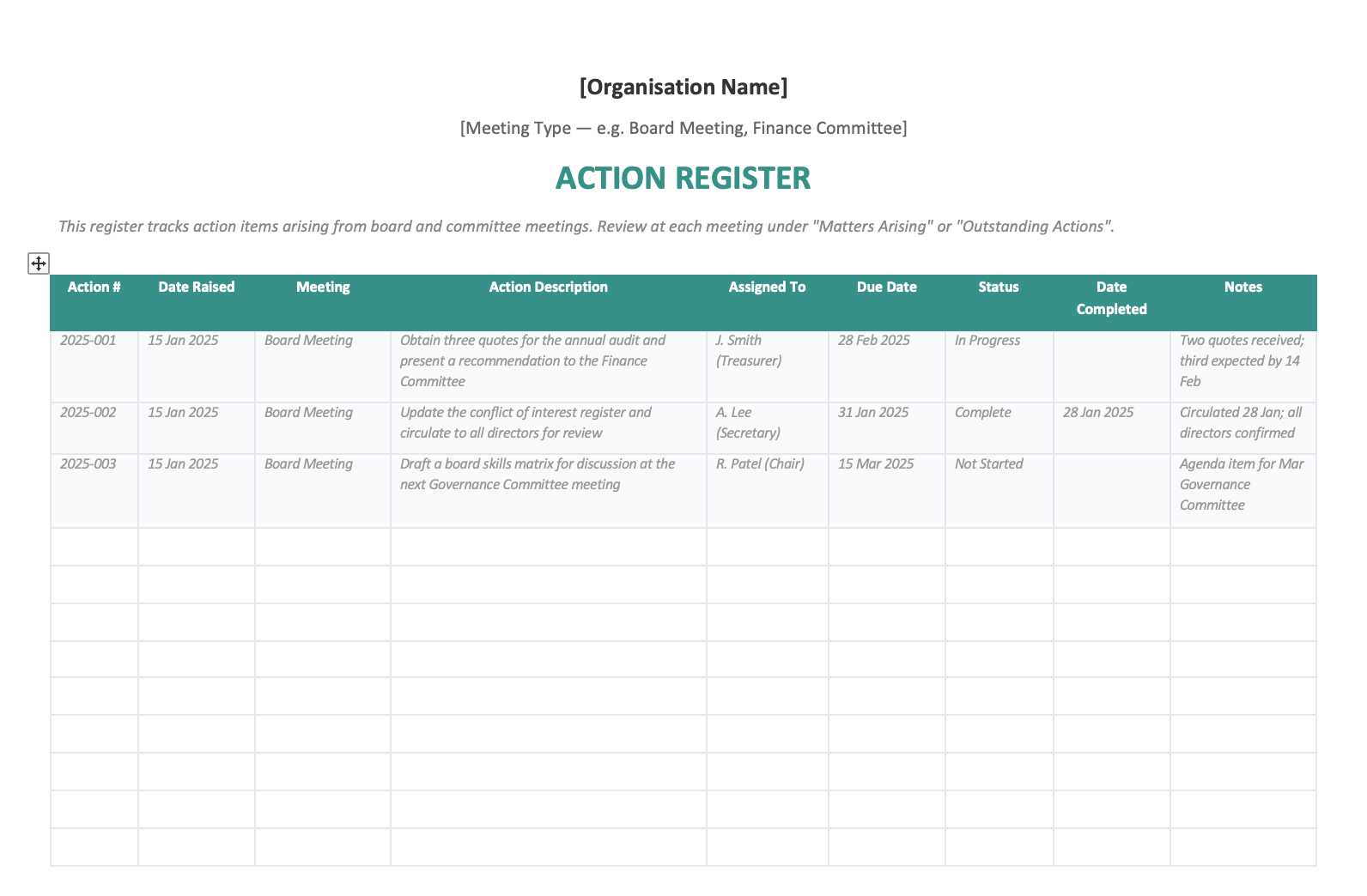
- A landscape-format register table with 9 columns: Action #, Date Raised, Meeting, Description, Assigned To, Due Date, Status, Date Completed, and Notes
- Three pre-filled example rows showing realistic board actions with different statuses
- Guidance notes on what makes a good action item and suggested status values
- Tips for reviewing actions at meetings and Australian governance context (ACNC, AICD, Corporations Act)
What is an action register?
An action register (sometimes called an action tracker or actions log) is a structured list of tasks that arise from board and committee meetings. Each action records what needs to happen, who is responsible, when it's due, and what progress has been made.
Without a register, actions get buried in the minutes. The board approves a motion, someone says "I'll follow that up," and two meetings later nobody can remember what was agreed. The action register solves this by pulling every task into one place and reviewing it at each meeting as a standing agenda item — usually called "Matters Arising" or "Outstanding Actions."
The register is a working document. It's updated during and between meetings. Completed actions are archived periodically (usually quarterly) to keep the list manageable, and the register becomes a record of the board's follow-through over time.
What goes in each column
The template uses nine columns. Here's what each one is for and how to fill it in.
- Action #
- A unique reference number. We recommend year-sequence format (e.g. 2025-001, 2025-002) so actions are easy to reference in minutes and correspondence.
- Date Raised
- The date the action was created — usually the date of the meeting where it was raised.
- Meeting
- Which meeting the action came from. Useful when you have multiple committees feeding into one register, or when you need to trace an action back to the minutes.
- Action Description
- What needs to happen. Be specific: "Obtain three quotes for D&O insurance" is better than "Look into insurance." A good action description makes it obvious when the action is done.
- Assigned To
- The single person responsible. Even if others are involved, one name goes here. This is the person who reports back to the board on progress.
- Due Date
- When the action should be completed. Set a realistic but firm date — usually before the next meeting so the board can review the outcome.
- Status
- Where the action is in its lifecycle. The template suggests five values: Not Started, In Progress, On Hold, Complete, and Closed. Consistent status values make the register scannable at a glance.
- Date Completed
- When the action was actually finished. Comparing this to the Due Date helps the board spot patterns — if actions are consistently completed late, it may indicate overcommitment or unrealistic timelines.
- Notes
- A running log of progress updates, blockers, or context. Keep entries brief and dated. The Notes column prevents the board from spending meeting time rehashing the backstory.
Beyond the Word document
The template works. The board portal is where you stop needing it.
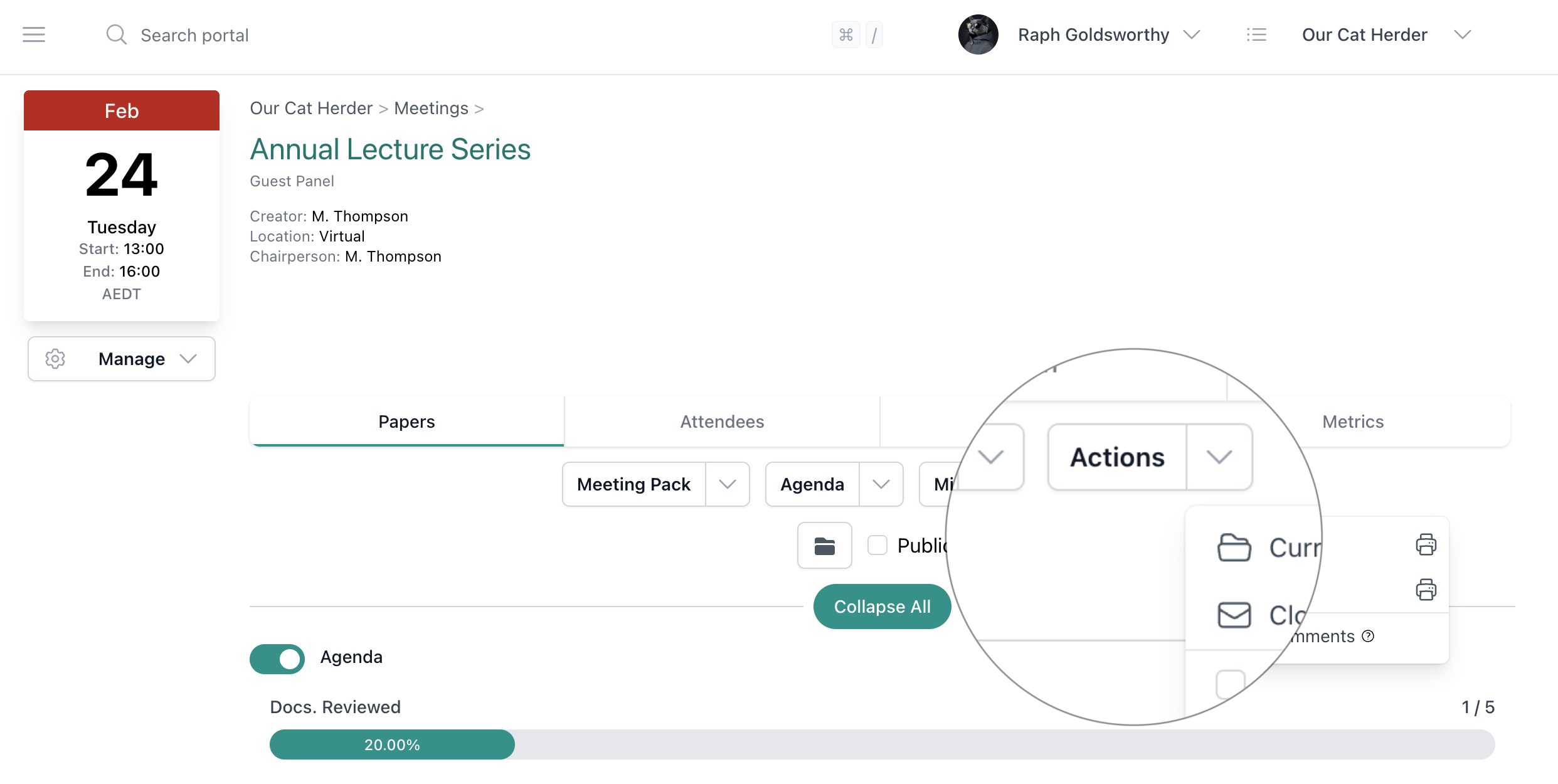
This Word template will get you started. But every meeting, someone has to open it, add the new actions, chase assignees for updates, and email the updated register out. Our Cat Herder's action register does all of that inside the portal.
- Capture actions during the meeting
- Add action items directly from the meeting agenda or minutes. The action is automatically linked to the agenda item and meeting where it was raised.
- Outstanding actions carry forward automatically
- Open actions appear on the next meeting's agenda under Matters Arising. No copying, no chasing — they're just there until they're resolved.
- Everyone sees their own dashboard
- Each board member sees their assigned actions on their personal dashboard. They know what's due without waiting for someone to email them the register.
- Search and filter across all meetings
- Find any action by keyword, assignee, status, or date range. No more scrolling through a multi-page Word document or hunting across quarterly archives.
- Custom action reports, filtered your way
- Build filtered views of your action register — by status, assignee, meeting type, or date range — and export them as reports. Send a filtered action report directly to a chosen agenda item so the board reviews exactly the actions that matter for that meeting.
Ready to stop tracking actions in Word? Start your free 45-day trial.
Full access to all features. No credit card required. Set up in under 5 minutes.