
Manage Conflicts of Interest Effortlessly with Confidential Agenda Items
-
Other products by Better Boards

governance
Governance Manage Conflicts of Interest Effortlessly with Confidential Agenda Items
A director declares an interest in a contract on next month’s agenda. The board minutes the declaration and the director leaves the room for that item. The papers for that item are still in the board pack the director receives, next to everything else they need for the meeting.
Confidential agenda items in Our Cat Herder handle this inside the meeting. The chair makes the item confidential, chooses who is excluded, and the excluded person carries on with the rest of the meeting as usual. The item, its sub-items, its papers and its minutes stay hidden from them.
When to use confidential items
Boards use confidential items for:
- A declared conflict. A director, staff member or adviser has an interest in a contract, appointment or transaction on the agenda.
- Publicly excluded business. School boards, councils and other bodies that meet in public consider some items in committee and publish minutes without them.
- In camera sessions. The board meets without management for part of the meeting, for example to discuss CEO performance.
- Sensitive matters. Remuneration, legal advice, complaints and staff issues that only some attendees should see.
Who controls confidentiality
Only the meeting’s chairperson and the person who created the meeting can make items confidential. It is set on each meeting, so it goes with whoever chairs that meeting, whatever their portal role.
Anyone can be excluded, including directors, the company secretary, staff and people with the Admin role on the portal. Nobody can exclude themselves, so the chair and the meeting’s creator act as a check on each other: the chair excludes the creator when the creator has a conflict, and the creator excludes the chair.
Making an item confidential
- Open the meeting and click Edit Agenda.
- Click the lock icon on the agenda item to open Manage Confidentiality.
- Tick Make confidential and choose who to exclude.
- Click Save.
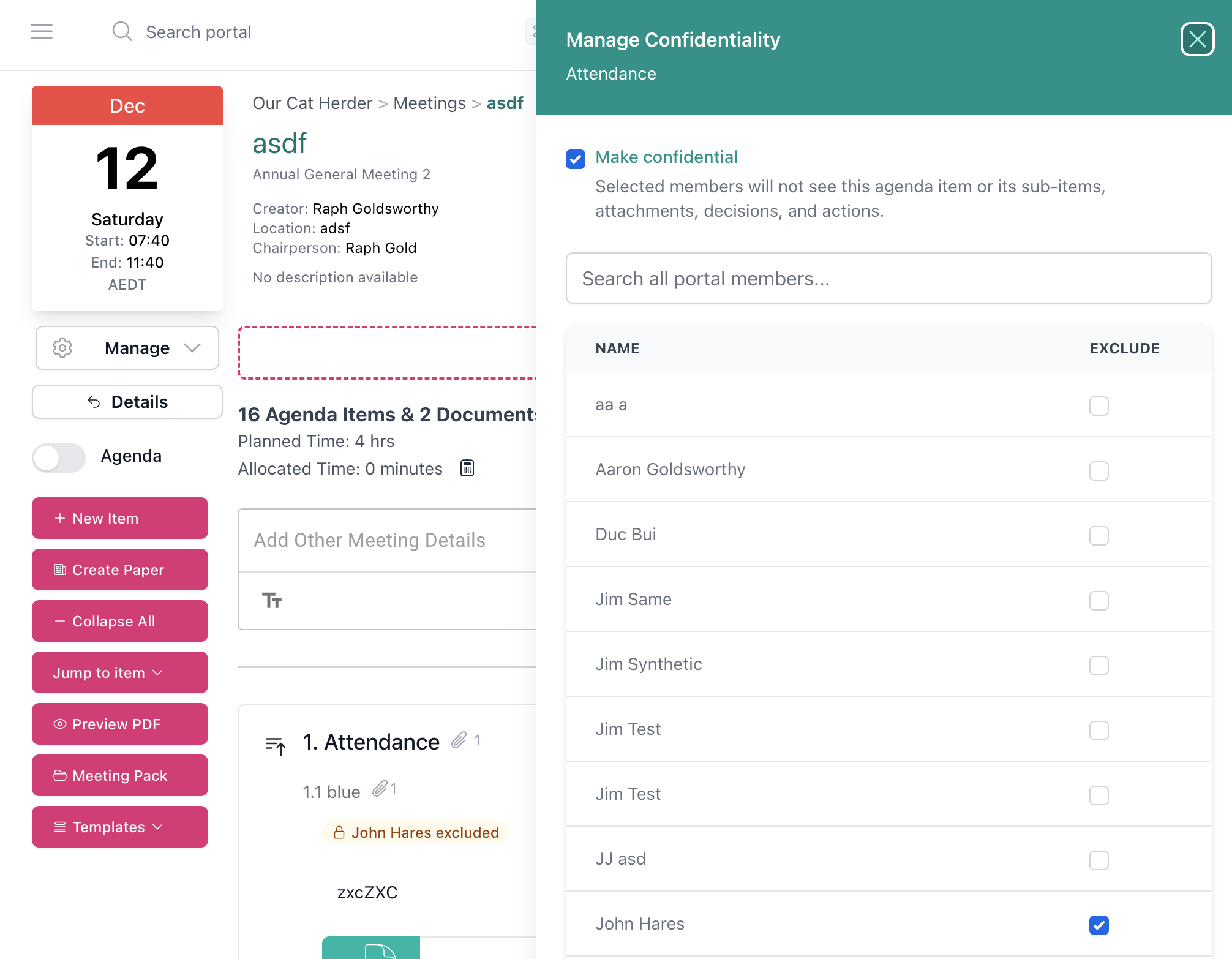
Manage Confidentiality panel in Our Cat Herder with Make confidential ticked and one member selected for exclusion The item then shows a lock and the names of the people excluded.
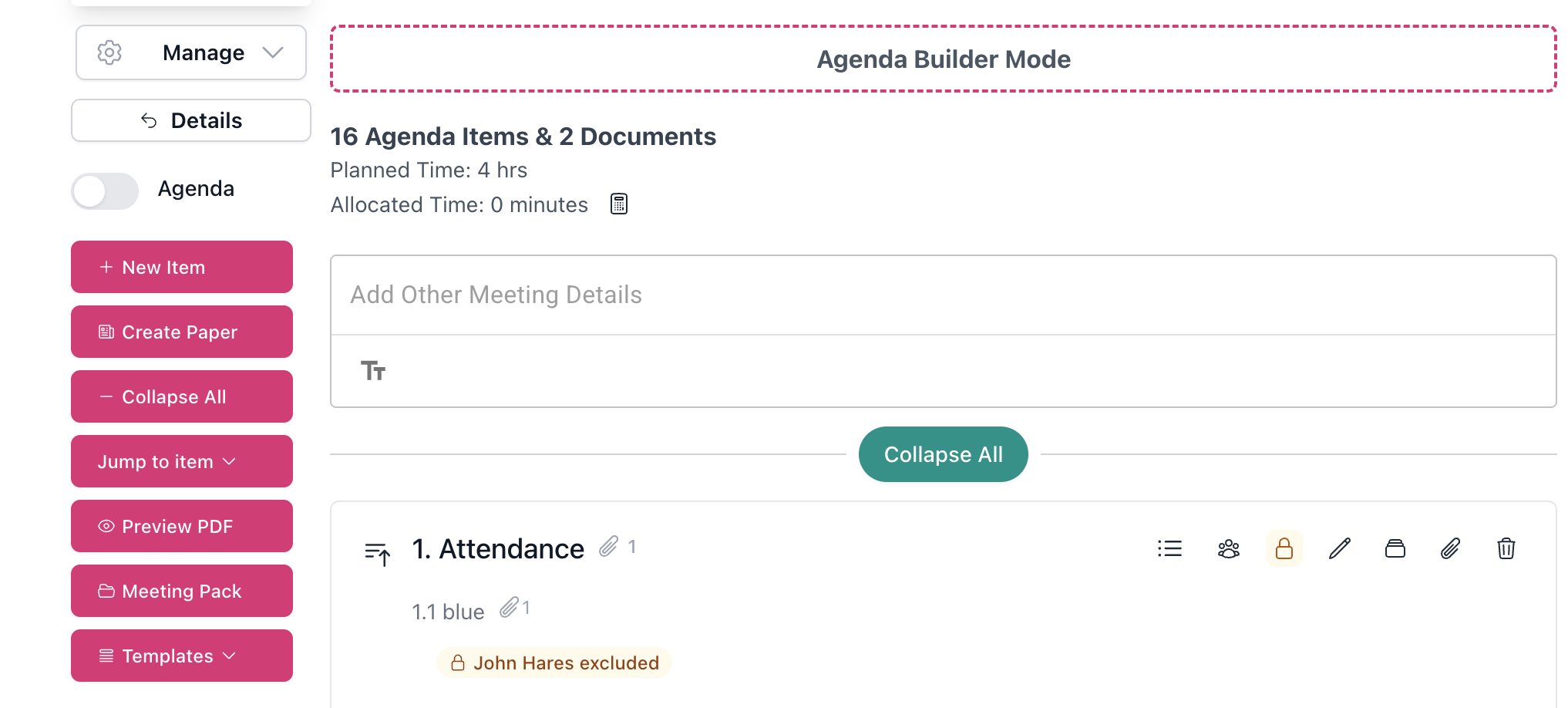
Agenda builder in Our Cat Herder with the confidentiality lock highlighted on an agenda item and a label showing one member excluded Confidentiality is set on a top-level agenda item and covers every sub-item beneath it, so group related confidential matters under one heading.
Upload the item’s papers straight to the item with Upload External File. Files uploaded this way take the item’s confidentiality with them.
What an excluded person sees
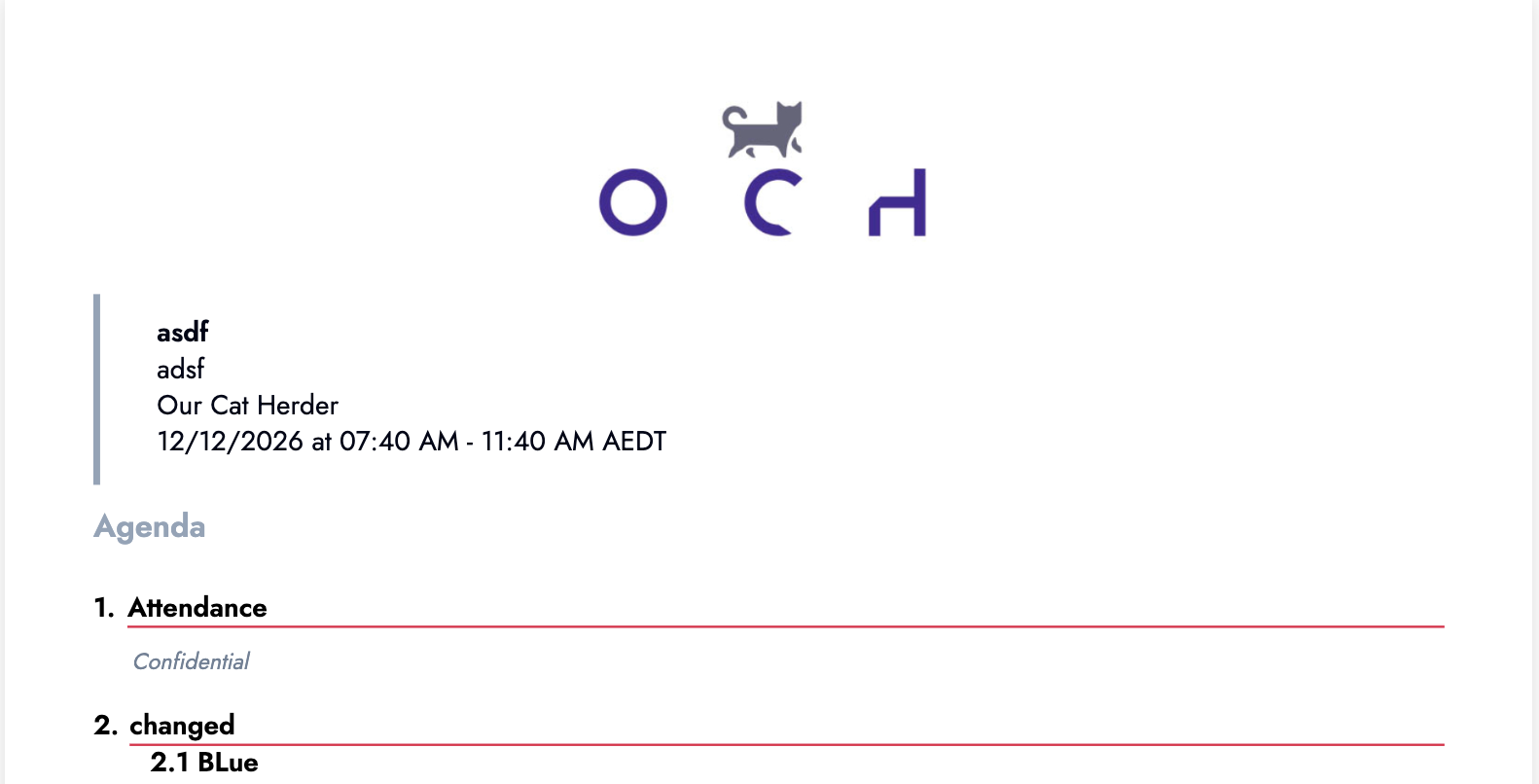
Agenda PDF generated for an excluded member, with the confidential item marked Confidential The rest of the meeting looks normal to them. For the confidential item:
- In the meeting papers, the item, its sub-items and their attachments are hidden.
- The generated agenda and minutes show the item as Confidential, with everything else complete.
- Their meeting pack is built without the item’s papers.
- Files uploaded to the item do not appear in the meeting folder for them.
- Content from the item stays out of their search results, emails, actions and decisions.
Public minutes and full minutes from one meeting
When the chair generates the agenda, minutes or meeting pack, they can tick Hide Confidential Items. The document leaves out every confidential item and its papers, ready to publish or circulate widely. Untick the box to generate the full version for the board.
For a New Zealand school board with publicly excluded business, the public minutes and the full minutes come from one meeting. The same applies to any organisation that shares minutes with members, funders or regulators and keeps some items with the board.
Taking minutes when the minute taker is excluded
If the minute taker has a conflict on an item, they keep taking minutes for the rest of the meeting. The minute taker moves straight past the confidential item, and someone with access, usually the chair, records the minutes for it. Agree who that will be before the meeting.
A conflicts routine for every meeting
- Ask directors to update their declarations before the papers go out. A conflict of interest register with a self-service form makes this a standing step.
- Compare the register with the agenda.
- Make the affected items confidential and exclude the people concerned.
- Upload the papers for those items directly to the items.
- Agree who will minute any item the minute taker is excluded from.
- Record declarations and departures in the minutes as usual.
For more on policies, registers and a culture of disclosure, read Managing Conflicts of Interest in Non-Profits.
Confidential agenda items are included on every Our Cat Herder portal at no extra cost. See the feature overview, or the video guide in our help centre for step-by-step detail.