
Board registers Conflicts, contracts and anything else you need to track
Get registers out of spreadsheets. Capture the information in the meeting, then keep the record with the minutes.
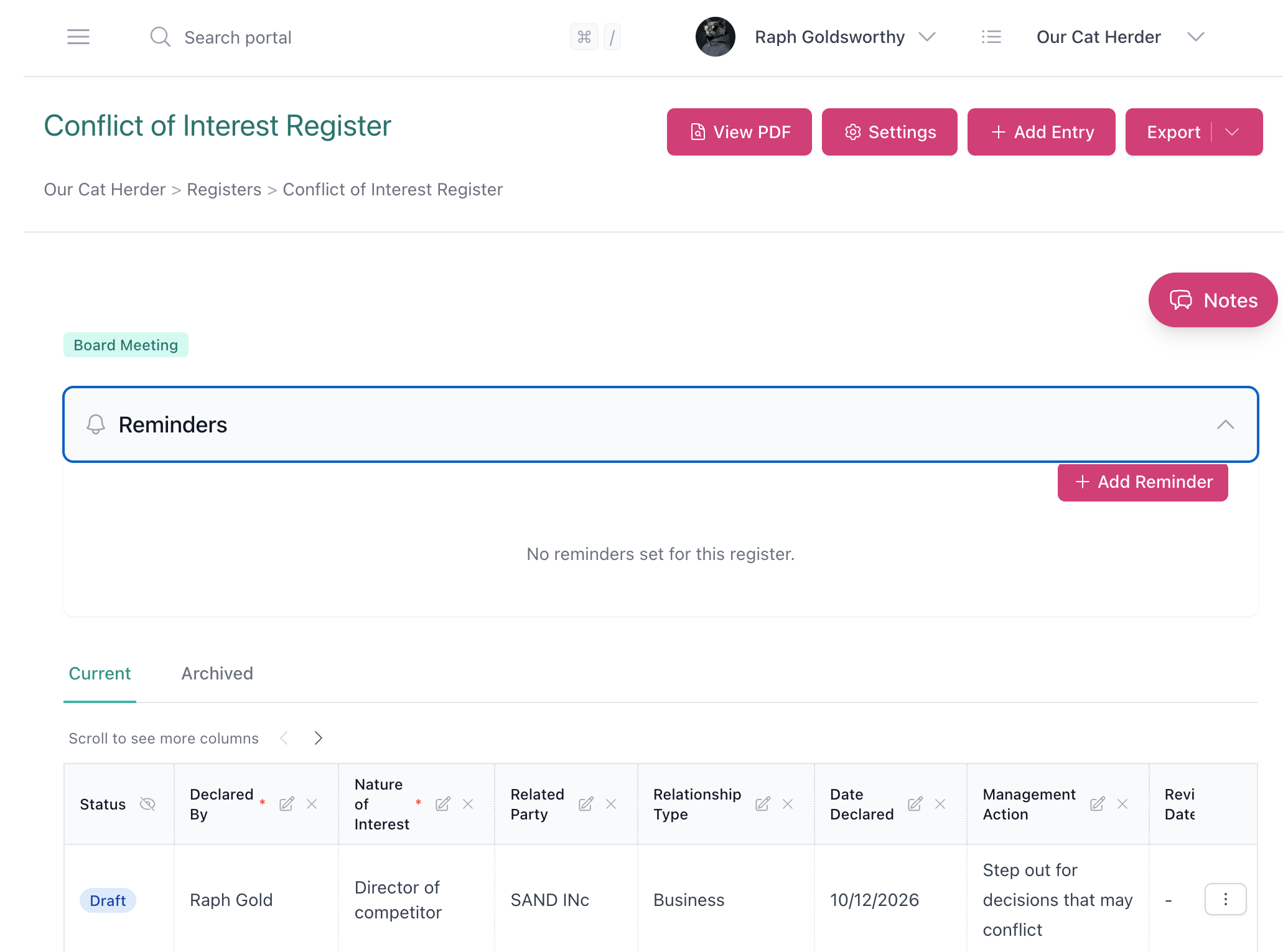
Board Registers should not live in a spreadsheet
Conflicts of interest, contracts, gifts, delegations and insurance still get tracked in a drive, then copied into the pack when someone remembers.
Bring board registers into your portal
Centralise records
The register lives in the same portal as the meeting. When the chair asks for the current list, there is one record, not a spreadsheet in a drive.
Collect declarations between meetings
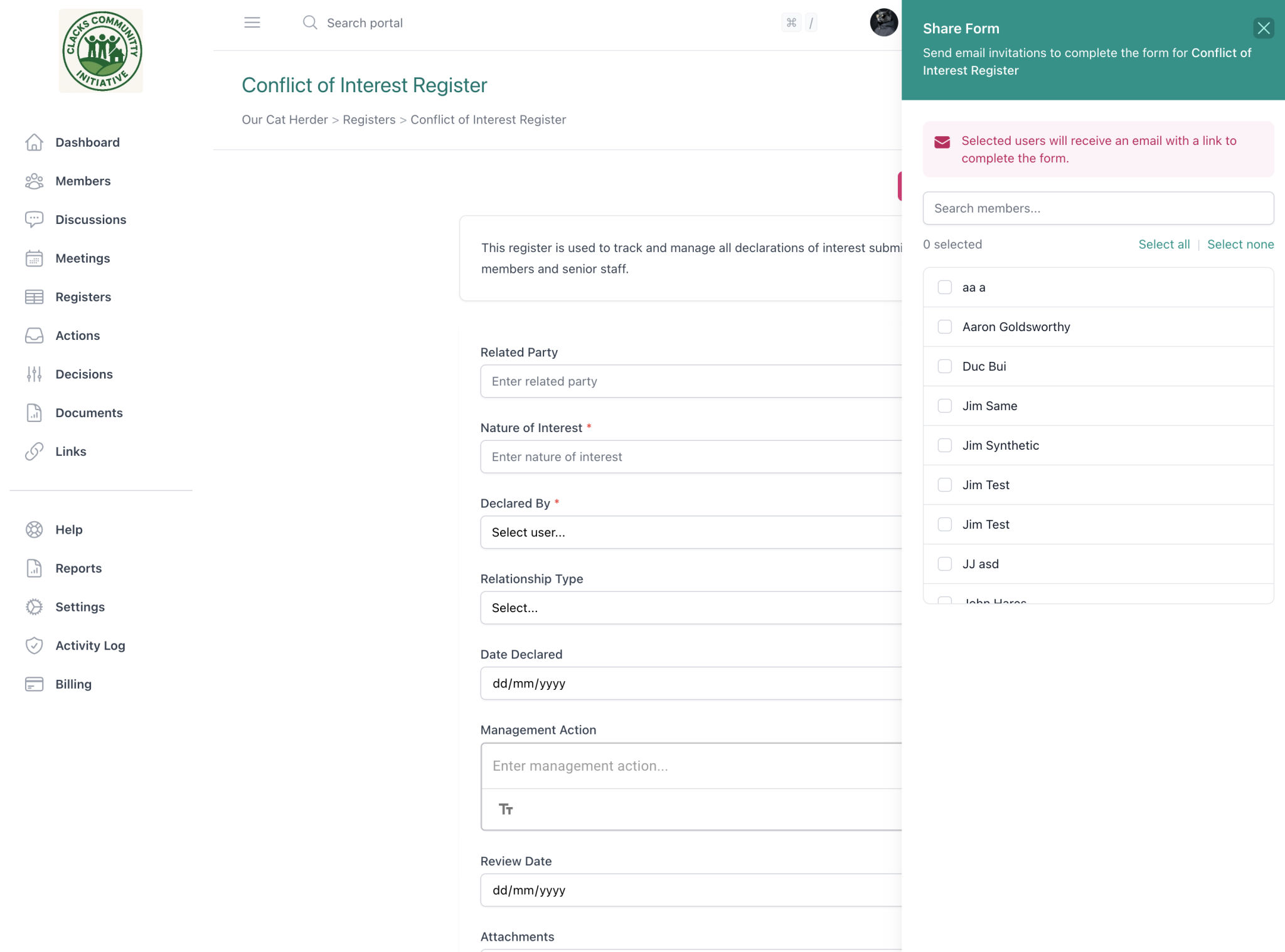
Share a form with portal members so they can submit any time, signed in. Updates land in the register before the meeting, not only at standing items.
Build any register you need
Other portals often give you a conflicts register or a fixed questionnaire. Start from a template or from scratch, and keep contracts, compliance, delegations and insurance in the same place.
Start from a template, or build your own
Start with conflicts, contracts, delegations, insurance, or a blank register. Ten templates come with columns already set. Change them to match the record you keep, or save your own template for next time.
You are not stuck with a fixed questionnaire. Sixteen column types mean the register can look like the spreadsheet you already use, not a form someone else designed.
Share a form so members can declare any time
Members sign in and submit through a link. They do not need access to the register itself. Only people on the portal can use the form.
-
Good for conflicts of interest
Ask the board to submit or update a declaration before each meeting. Each submission lands in the register. See how boards handle conflicts, or download a free conflict of interest register template.
-
The secretary does not have to chase a spreadsheet
Send the link to the people who need to declare. You choose who gets an email when something comes in. If you still run a paper meeting, download the form as a PDF.
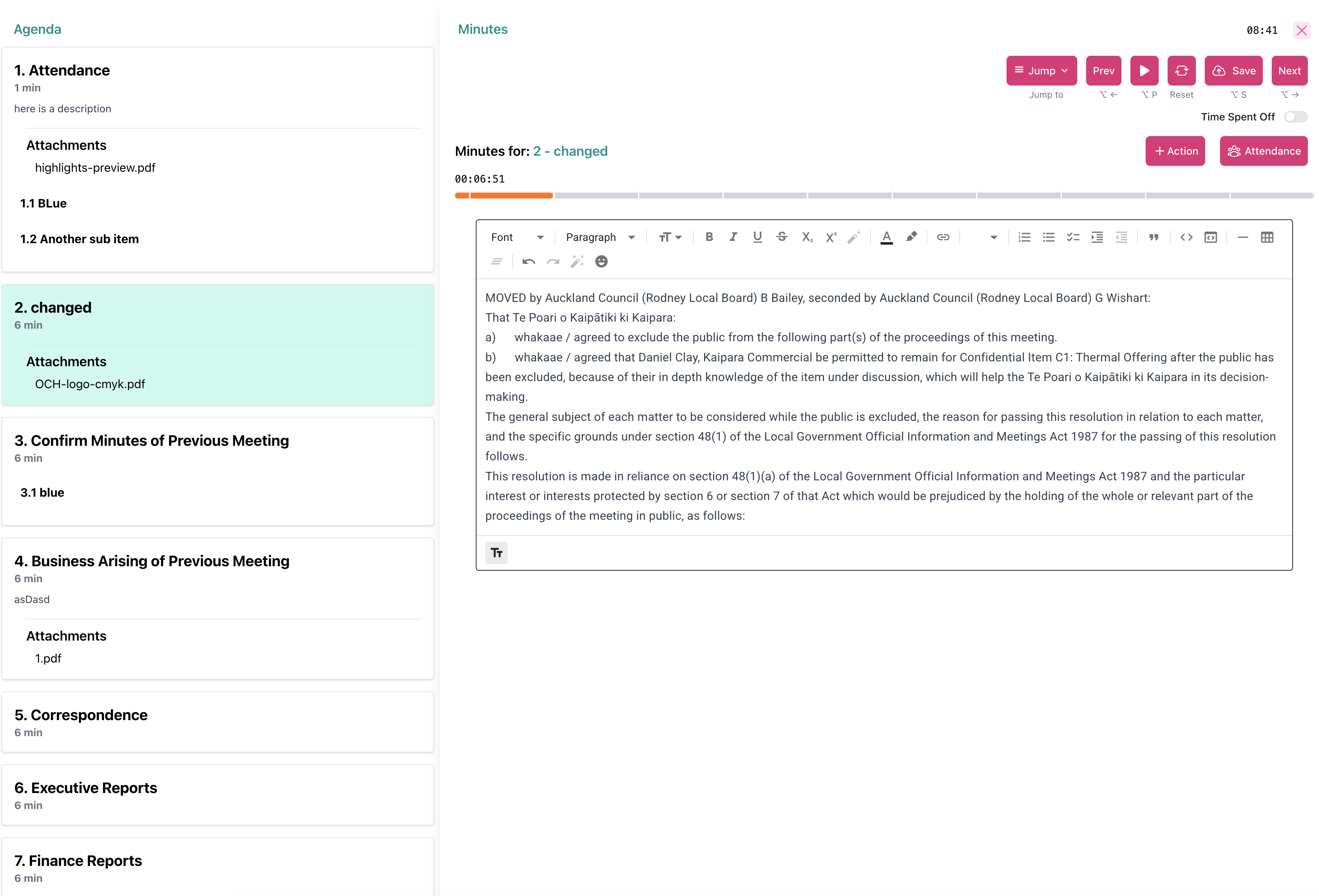
Add an entry without leaving the minutes
Open the register from the meeting as a PDF, or a list if more than one is linked. During minute taking, add the entry in the room. It stays on the register and in the minutes.
-
Recorded twice, on purpose
An entry added during minutes is stored on the register and in the minutes. It also appears in the meeting minutes PDF.
-
The board can see it in the room
Anyone invited to that meeting can view the register from the meeting. They do not need to be on the register itself.
Not everyone on the portal sees every register
Many registers do not need a portal-wide audience. Invite people or a committee group. Everyone else only sees a register through a form or a linked meeting. Admins see all of them.
| Role | What they can do |
|---|---|
| Manager | Change the register and its entries, including approval and settings. |
| Contributor | Add and edit entries. |
| Viewer | Read the register only. |
| User group | Invite a committee group with one of those roles so membership stays in sync. |
Group related registers together, move entries from draft to approved, and export a PDF or CSV when you need it in the pack.
Set up once, use it every meeting
A template, the right people, and a link to the meeting type. After that the register sits with the minutes.
Start from a template or from scratch
Conflicts, contracts, or any other register you need. Keep the columns you actually use.
Give the right people access
Invite people or a committee group. Membership stays with the group when it changes.
Put it on the meeting
Link it to Board Meeting or any other type you use. Add an entry while taking minutes, and it can appear in the minutes PDF.
Collect declarations between meetings
Optional. Portal members submit through a form. They do not need access to the register.
Our Cat Herder vs other board portals
Most board portals stop at one conflicts register or a fixed questionnaire.
| Our Cat Herder | Other board portals | |
|---|---|---|
| Conflict of interest register | Yes | Often a conflicts register or questionnaire only |
| Custom register types | Unlimited | Rarely |
| Customisable columns | Yes (16 types) | Rarely |
| Self-service forms | Yes | Limited, if at all |
| Add entries during meetings | Yes | Rarely |
| Entries appear in the minutes PDF | Yes | Rarely |
Registers are included on every portal. No extra fee. From $595 a year, unlimited users, unlimited registers.
Frequently asked questions about board registers
- What is a board register?
- A board register is a formal record of governance information. Common examples are conflicts of interest, gifts and benefits, contracts, related party transactions, delegations, insurance and assets. Boards keep them for compliance and so the current record is easy to find.
- Can board members submit entries themselves?
- Yes. Share a form with portal members. They sign in and submit. They do not need access to the register, and the form stays inside the portal.
- Can we add register entries during a meeting?
- Yes. Open the register from the meeting and add an entry while taking minutes. It is stored on the register and in the minutes, and it appears in the minutes PDF.
- Who can see a register?
- Admins see all registers. Everyone else sees a register if they are invited, if their committee group is invited, or if they are in a meeting that has that register linked.
- Do we pay extra for registers?
- No. Registers are included. You can create as many as you need, from templates or from scratch.
Ready to keep registers next to the meeting? Start your free 45-day trial.
Registers included. No extra fee. No credit card required.
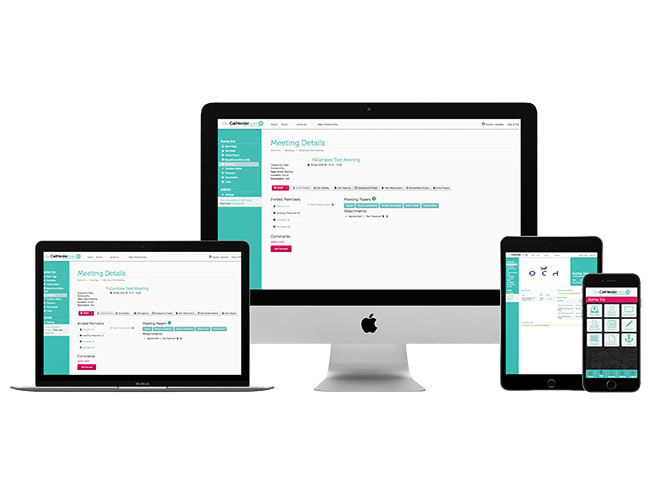

We're here to help
Whether you want a walkthrough of templates and forms, help linking a register to a meeting type, or advice on who should be a Manager, our team is ready to assist.